Transaction Search
Parks & Rec > Transaction > Search
Transaction Search defines transaction records by date, type, status, account, payment method, paid by, AP export status, keyword, and department name. You also may search by amount, receipt number, fee name, processed by, general ledger export status, invoice number, general ledger export reference, registrant/team and reference number.
The GL Export, AP Export and Collection Export options create export files for transaction records. These options are available according to User Role permissions.
When you display the Transaction Search page, the program automatically searches and displays the current day’s transactions. Use the horizontal arrow keys to view all the transaction details. The Start Date and End Date fields specify a time interval for records to include in the search; the remaining search fields provide multi-select functionality, which allows you to select one or more criteria from each list.
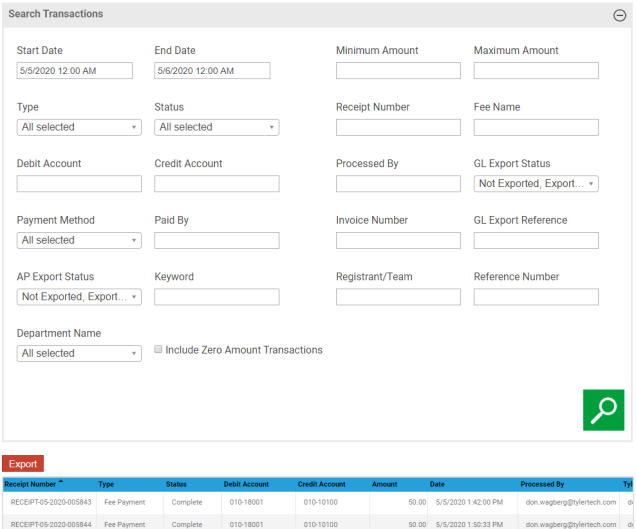
Once you have defined a record set, click Export to export the records directly to Microsoft Excel.